> ## Documentation Index
> Fetch the complete documentation index at: https://ade-ac1c6011-dependabot-github-actions-actions-cache-6.mintlify.site/llms.txt
> Use this file to discover all available pages before exploring further.
# Chat capabilities
> The tools a chat agent can use inside a lane — read and edit files, run commands, drive Git, open PRs, and capture proof.
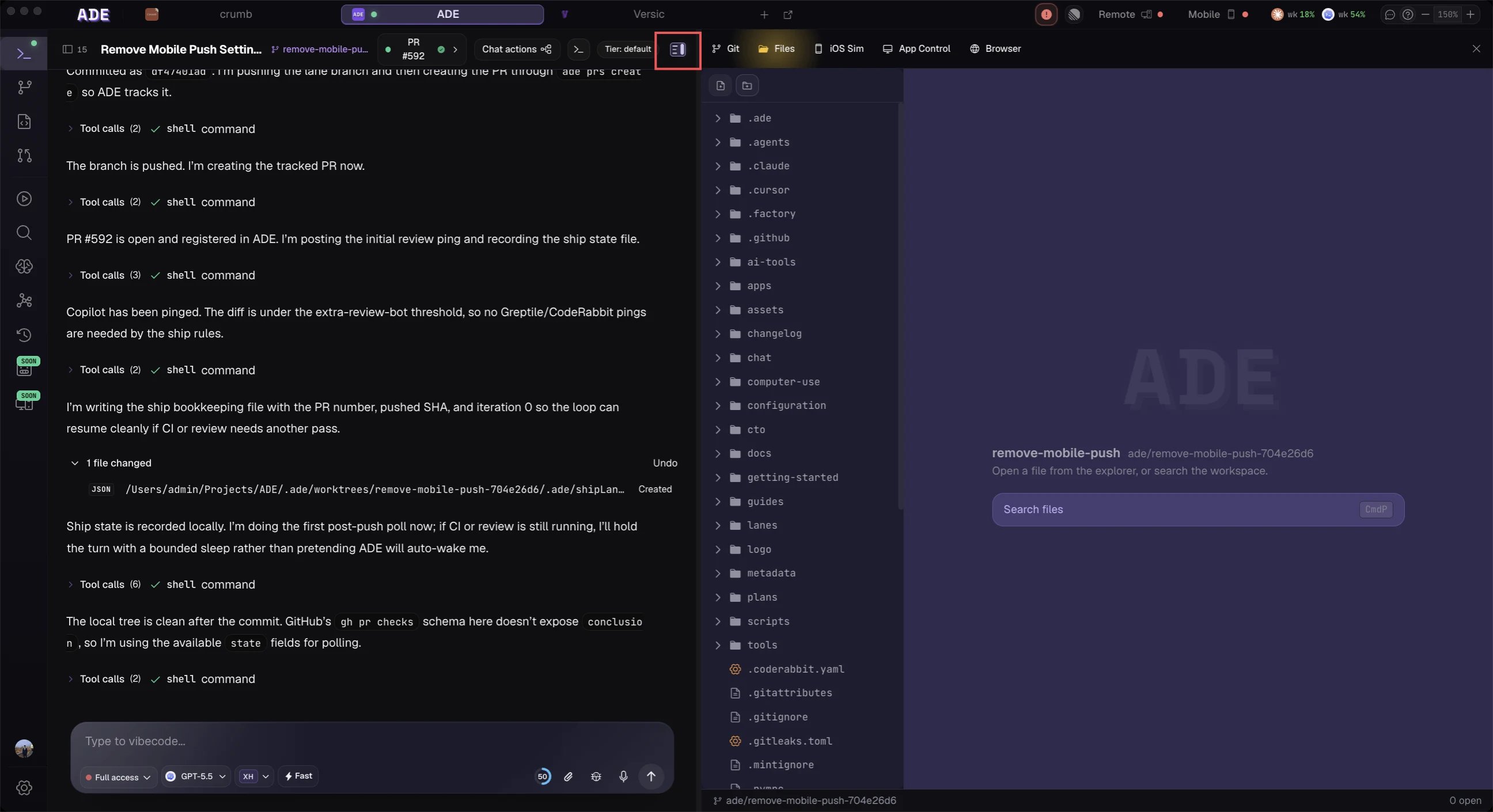
A chat agent works like a teammate who has the lane checked out. ADE gives every agent a set of tools scoped to its role, so a regular lane chat can do real work — read and edit files, run commands, create lanes and PRs, pull in Linear context, and capture proof — without reaching the elevated control-plane tools reserved for the CTO.
## Universal tools
Every agent gets these, in every session.
Range-aware file reads, plus `grep` and `glob` search across the worktree. Always allowed, even in read-only plan mode.
Apply a single-file edit or create and replace a file. Each write produces a file-change event and a diff. Blocked in plan mode.
Run shell commands for tests, builds, package managers, and scripts. Emits command events with output and exit code. Blocked in plan mode and gated by your approval in edit mode.
Fetch a URL or run a web search when the task needs outside information. Always allowed.
Maintain a session todo list so multi-step work stays visible in the transcript.
Pause cleanly and ask you for a choice or clarification instead of guessing. The composer locks until you answer.
## Workflow tools
Chat agents also get the tools that turn a conversation into shipped work.
Branch a fresh git worktree for a new piece of work, optionally stacked on the current lane.
Create a pull request from the lane's changes, with a generated title and body.
When a chat is launched to fix a PR, it can refresh checks, re-run failed CI, reply to review threads, and resolve them.
Screenshot the environment and file the result to the proof drawer (macOS), or attach an existing image with `ade proof attach`.
Persist a structured closeout — status, summary, artifacts, and any blocker — as a card in the transcript.
When Linear is connected, a chat can read a linked issue's context; attaching an issue links it back to the lane and the next PR body.
The exact set depends on the session: writes and commands are gated by the permission mode, screenshot capture needs a supported platform, and Linear tools appear only when the integration is connected. The CTO additionally gets operator tools (spawning chats, managing workers, dispatching Linear) that regular chats never see.
## See what an agent can reach
Open the tools panel from the composer to see what a session has available and which actions need your approval before they run.
 ## The right agent for the tool
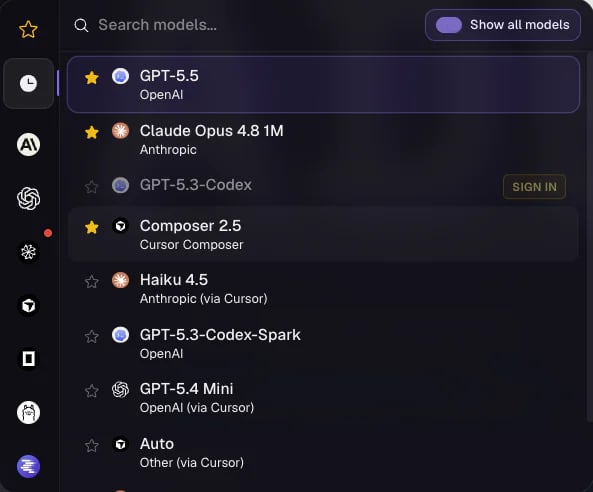
Capabilities are shared across providers, but the model still matters. Pick the provider and model that suits the task when you start the session — a fast model for a small fix, a stronger one for a gnarly refactor — and switch within the same family mid-session.
## The right agent for the tool
Capabilities are shared across providers, but the model still matters. Pick the provider and model that suits the task when you start the session — a fast model for a small fix, a stronger one for a gnarly refactor — and switch within the same family mid-session.
 ## Good chat requests
Specific, verifiable asks get better results than open-ended cleanup.
```text theme={null}
Find why the billing test fails and fix the smallest underlying bug.
```
```text theme={null}
Update the PR description from the current diff and include test evidence.
```
```text theme={null}
Read the auth module and explain where the redirect state is stored.
```
## Review before trusting
Agent chat is powerful because it changes real files. Treat the result like any contribution: inspect the diff in **Files**, run the relevant checks, and read the closeout summary before you commit or merge.
What's in context, and how to keep a session focused.
Read, stage, and resolve the changes an agent makes.
## Good chat requests
Specific, verifiable asks get better results than open-ended cleanup.
```text theme={null}
Find why the billing test fails and fix the smallest underlying bug.
```
```text theme={null}
Update the PR description from the current diff and include test evidence.
```
```text theme={null}
Read the auth module and explain where the redirect state is stored.
```
## Review before trusting
Agent chat is powerful because it changes real files. Treat the result like any contribution: inspect the diff in **Files**, run the relevant checks, and read the closeout summary before you commit or merge.
What's in context, and how to keep a session focused.
Read, stage, and resolve the changes an agent makes.