> ## Documentation Index
> Fetch the complete documentation index at: https://ade-ac1c6011-dependabot-github-actions-actions-cache-6.mintlify.site/llms.txt
> Use this file to discover all available pages before exploring further.
# Create your first lane
> Create an isolated branch and worktree for your first agent task.
A **lane** is ADE's name for a git worktree — an isolated branch and working copy for one task. It keeps agent work out of your primary checkout, so you can run several tasks in parallel without colliding. Use one lane per feature, fix, or experiment.
Your repo root is already the **primary lane** — it always exists and is edit-protected. You don't pick a "lane type"; you simply add a new worktree lane for the task. This first one branches a fresh worktree off your default branch.
## Create the lane
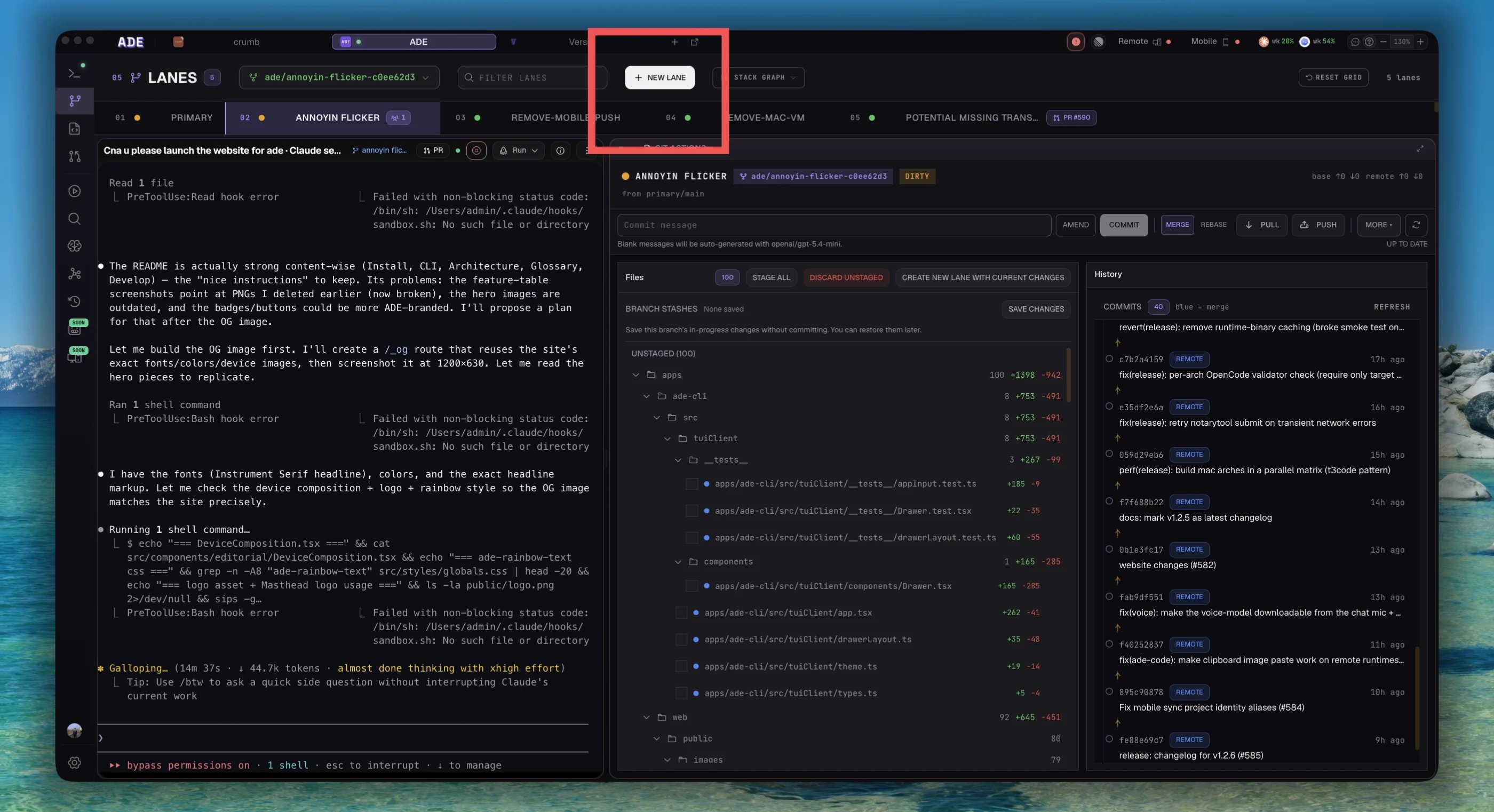
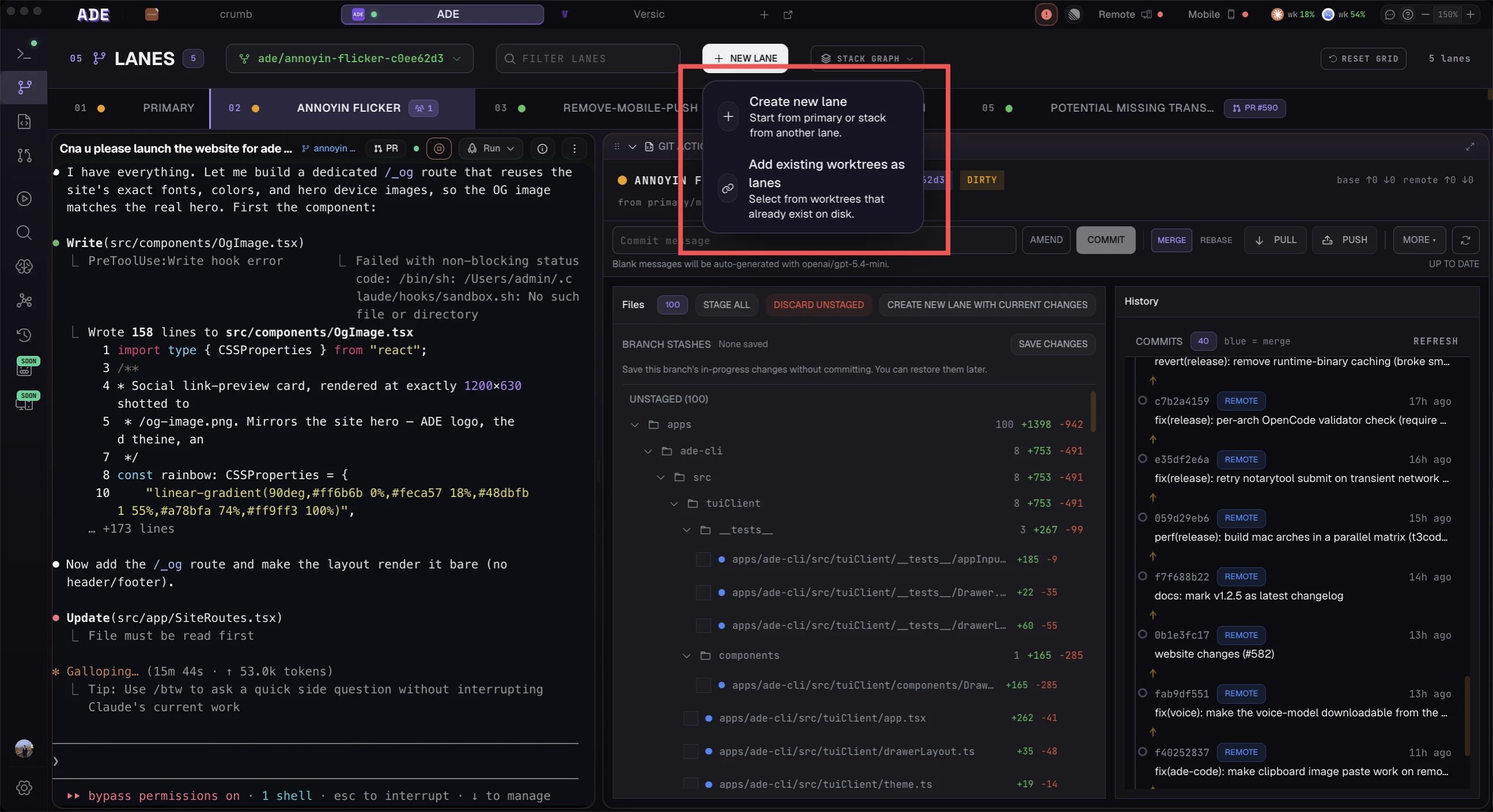
Choose **Lanes** from the sidebar.
Give it a short task name, like `add-health-endpoint` or `fix-login-copy`.
For your first lane, use your default branch — usually `main`.
ADE creates a Git worktree under `.ade/worktrees/` and checks out a branch for the lane.
 ## Let ADE name it for you
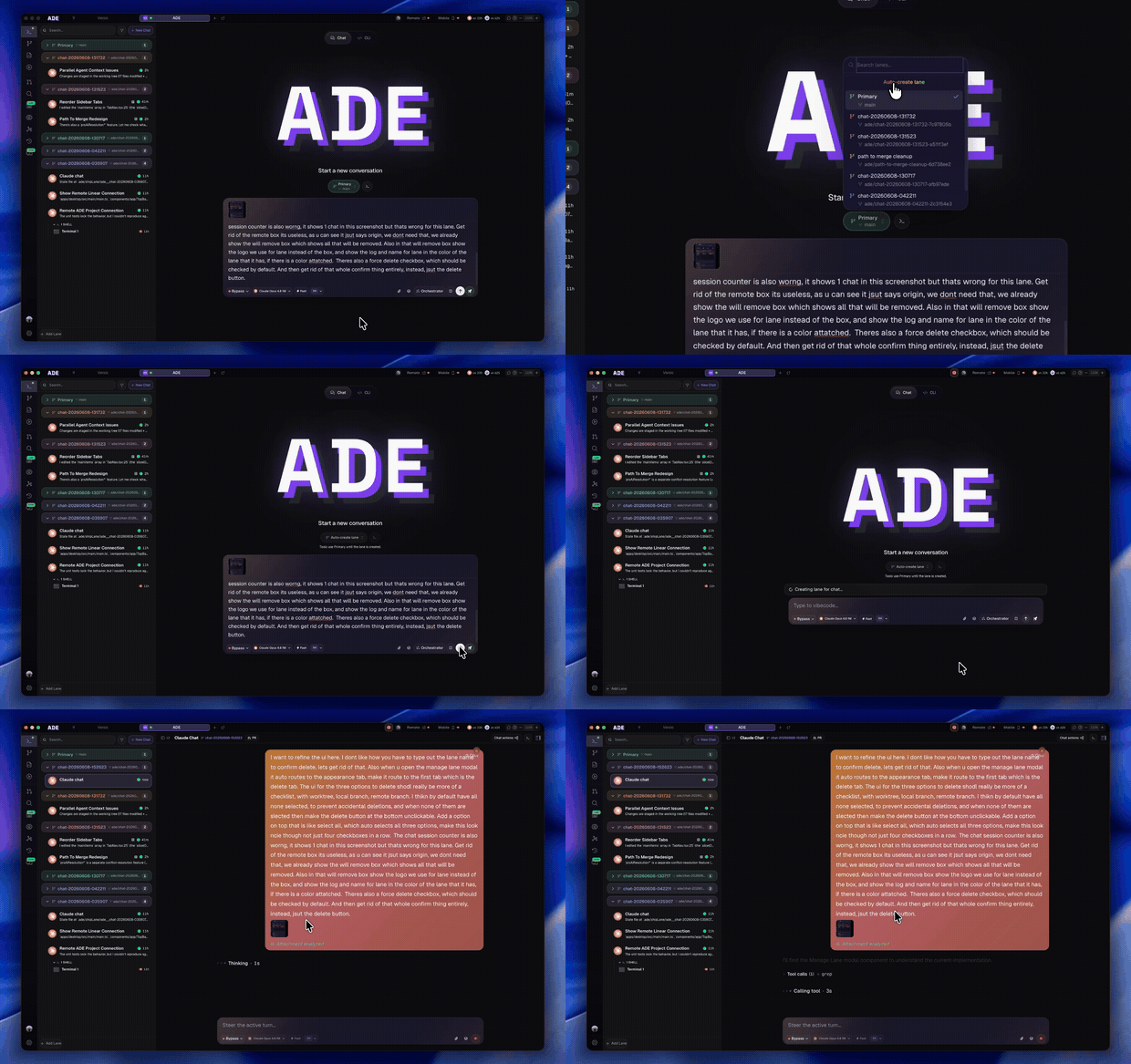
You don't have to create lanes by hand. Describe a task in chat and ADE spins up a fresh worktree, auto-named from the task — no stashing, no context switch.
## Let ADE name it for you
You don't have to create lanes by hand. Describe a task in chat and ADE spins up a fresh worktree, auto-named from the task — no stashing, no context switch.
 ## Good lane names
| Good | Avoid |
| --------------------- | ------------ |
| `add-health-endpoint` | `test` |
| `fix-auth-redirect` | `agent-work` |
| `linear-eng-142` | `new-branch` |
## When the lane is ready
The lane should show a clean diff and no active sessions. Open it in **Work** to start a chat or a terminal.
Start a small lane-scoped chat.
How lanes, stacks, and cleanup work.
## Good lane names
| Good | Avoid |
| --------------------- | ------------ |
| `add-health-endpoint` | `test` |
| `fix-auth-redirect` | `agent-work` |
| `linear-eng-142` | `new-branch` |
## When the lane is ready
The lane should show a clean diff and no active sessions. Open it in **Work** to start a chat or a terminal.
Start a small lane-scoped chat.
How lanes, stacks, and cleanup work.