> ## Documentation Index
> Fetch the complete documentation index at: https://ade-ac1c6011-dependabot-github-actions-actions-cache-6.mintlify.site/llms.txt
> Use this file to discover all available pages before exploring further.
# Create and manage lanes
> Every way to start a lane — new worktree, child lane, imported branch, or attached external worktree — plus rename, archive, and delete.
Your repo root is always the **primary lane** — it exists from the moment you open the project, and it can't be deleted or restacked. Every *other* lane is a git worktree you create for a single task, isolated under `.ade/worktrees/`. You never pick a "lane type"; what varies is **how** you bring the new lane into being.
 ## The four ways to create a lane
Branch a fresh worktree from your default branch — or any other branch. The default, and the safest place for agent work.
Branch a lane off another lane instead of `main` to build dependent work as a stack. ADE calls these **child lanes**.
Pull a branch you already have — local or remote — into a worktree ADE manages.
Already made a `git worktree` outside ADE? Attach its path and ADE tracks it without ever moving or cleaning it.
## New worktree off a branch
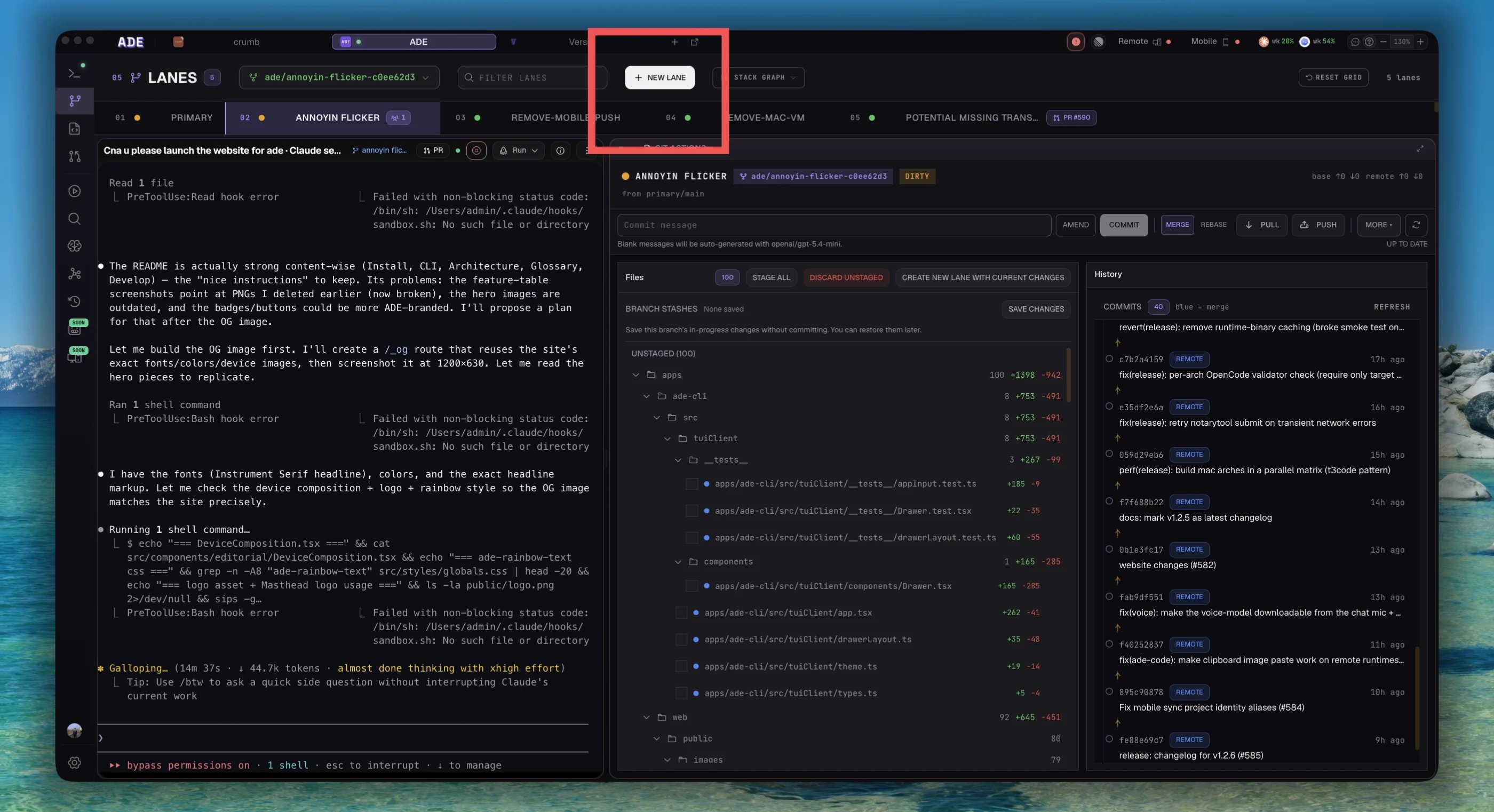
This is the default path. Open the **Create lane** dialog, name the task, and choose what to branch from.
Click **New lane** in the Lanes view.
Use a short, outcome-shaped name like `fix-auth-redirect` or `add-health-endpoint`. The name becomes the branch and the worktree folder slug; ADE also picks an unused accent color for the lane.
By default ADE branches from your default branch. Open the branch picker to start from a specific branch instead.
ADE runs `git worktree add`, checks the new branch out under `.ade/worktrees/`, and the lane appears in the list.
## The four ways to create a lane
Branch a fresh worktree from your default branch — or any other branch. The default, and the safest place for agent work.
Branch a lane off another lane instead of `main` to build dependent work as a stack. ADE calls these **child lanes**.
Pull a branch you already have — local or remote — into a worktree ADE manages.
Already made a `git worktree` outside ADE? Attach its path and ADE tracks it without ever moving or cleaning it.
## New worktree off a branch
This is the default path. Open the **Create lane** dialog, name the task, and choose what to branch from.
Click **New lane** in the Lanes view.
Use a short, outcome-shaped name like `fix-auth-redirect` or `add-health-endpoint`. The name becomes the branch and the worktree folder slug; ADE also picks an unused accent color for the lane.
By default ADE branches from your default branch. Open the branch picker to start from a specific branch instead.
ADE runs `git worktree add`, checks the new branch out under `.ade/worktrees/`, and the lane appears in the list.
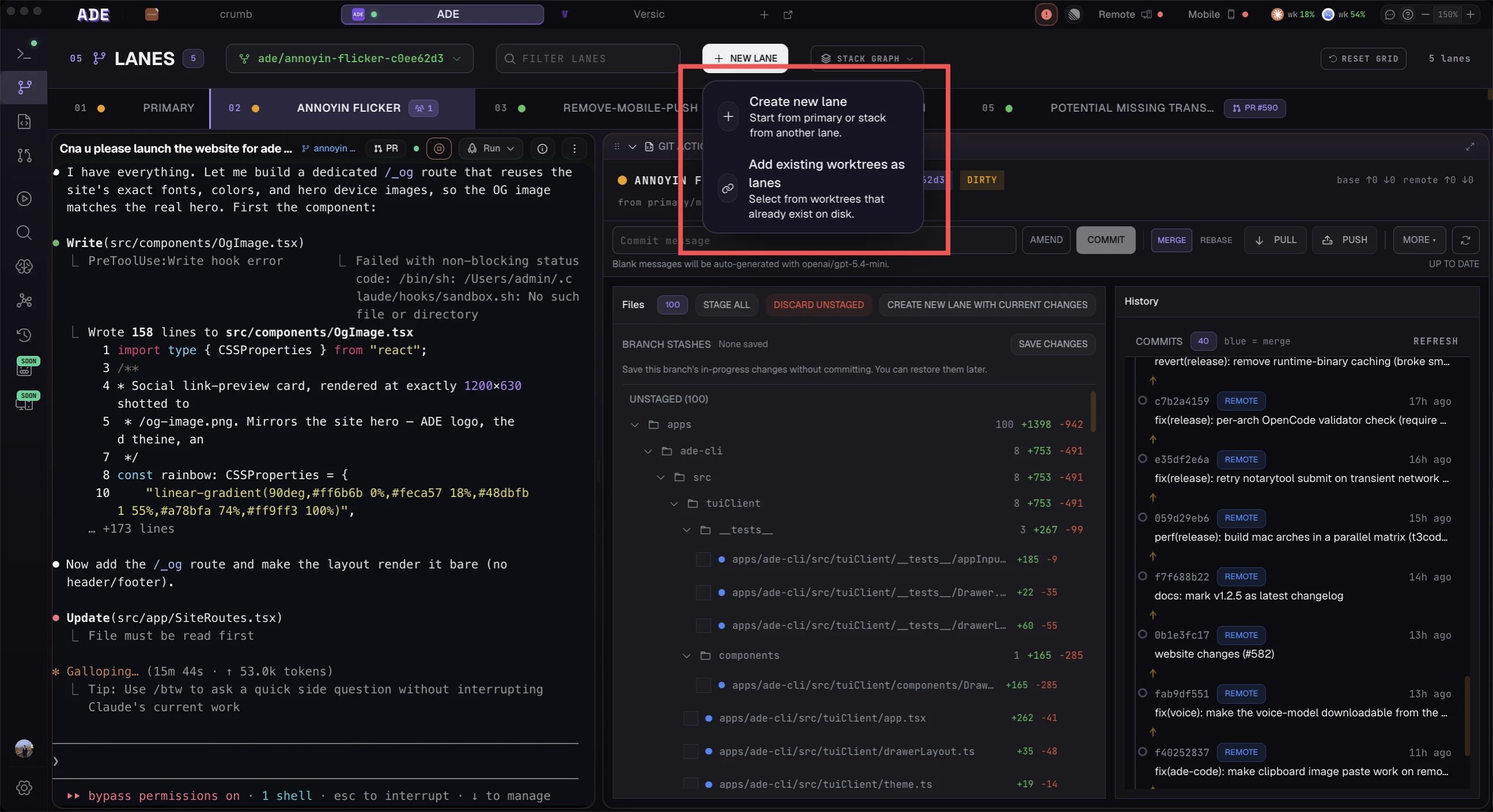 The branch picker filters as you type and shows each branch's last-commit author and date. Branches with an open pull request carry a **PR pill** (`#NNN`, dimmed for drafts) so you can tell at a glance what's already in review.
### Auto-create from a task or Linear issue
You don't have to fill in the dialog by hand. Hand ADE a task — or connect a Linear issue — and it derives the branch name, names the lane, and attaches the issue as context so the agent starts with the right spec.
Connecting a Linear issue derives the branch name from the issue identifier and title (`IDENT-title-slug`). ADE refuses to create the lane if that branch already exists locally or on the remote, so you don't accidentally collide with existing work.
## Child lane (stacked)
To build on top of work that hasn't merged yet, create a **child lane**: its branch is based on the parent lane's branch instead of `main`. Select the parent lane, choose **New child lane**, and the chain forms automatically. The full review flow — stacked PRs and rebase propagation — lives in [Stack lanes](/lanes/stacks).
## Import an existing branch
Have a branch already, local or remote, that you want ADE to manage as a worktree? Use the **import existing branch** path inside the Create lane dialog. It swaps the dialog body for the branch picker; pick a branch and ADE creates a managed worktree checked out to it.
The same picker that backs new worktrees powers import — search by name, filter to your own branches (`author:me`), or jump straight to a PR number (`#NNN`). The PR pills come from GitHub and are fail-soft: if the PR lookup errors, the picker still works, just without pills.
## Attach an external worktree
If you created a `git worktree` outside ADE, attach its path from the lane actions. ADE records the lane and tracks its status, but never moves or cleans the directory — deleting an attached lane only removes ADE's row, leaving your files in place.
If you later want ADE to own an attached worktree (and eventually auto-clean it), use **adopt** to move it under `.ade/worktrees/` and promote it to a managed lane.
## Rescue uncommitted work
Started editing in the wrong place? ADE can lift uncommitted changes into a fresh child lane — it stashes the work in the source worktree and applies it in the new lane, then rolls back cleanly if the apply fails. This is the "rescue uncommitted work" path; it needs the source to have no staged changes and no in-progress merge or rebase.
## Create a lane from a commit
In the **History** tab, the **Create lane here** action on any commit branches a new lane starting from exactly that commit, instead of from a branch head. ADE verifies the ref and uses the resolved commit as the worktree's start point.
## Rename, archive, or delete
Open a lane's manage dialog to change it once work is underway or done.
The branch picker filters as you type and shows each branch's last-commit author and date. Branches with an open pull request carry a **PR pill** (`#NNN`, dimmed for drafts) so you can tell at a glance what's already in review.
### Auto-create from a task or Linear issue
You don't have to fill in the dialog by hand. Hand ADE a task — or connect a Linear issue — and it derives the branch name, names the lane, and attaches the issue as context so the agent starts with the right spec.
Connecting a Linear issue derives the branch name from the issue identifier and title (`IDENT-title-slug`). ADE refuses to create the lane if that branch already exists locally or on the remote, so you don't accidentally collide with existing work.
## Child lane (stacked)
To build on top of work that hasn't merged yet, create a **child lane**: its branch is based on the parent lane's branch instead of `main`. Select the parent lane, choose **New child lane**, and the chain forms automatically. The full review flow — stacked PRs and rebase propagation — lives in [Stack lanes](/lanes/stacks).
## Import an existing branch
Have a branch already, local or remote, that you want ADE to manage as a worktree? Use the **import existing branch** path inside the Create lane dialog. It swaps the dialog body for the branch picker; pick a branch and ADE creates a managed worktree checked out to it.
The same picker that backs new worktrees powers import — search by name, filter to your own branches (`author:me`), or jump straight to a PR number (`#NNN`). The PR pills come from GitHub and are fail-soft: if the PR lookup errors, the picker still works, just without pills.
## Attach an external worktree
If you created a `git worktree` outside ADE, attach its path from the lane actions. ADE records the lane and tracks its status, but never moves or cleans the directory — deleting an attached lane only removes ADE's row, leaving your files in place.
If you later want ADE to own an attached worktree (and eventually auto-clean it), use **adopt** to move it under `.ade/worktrees/` and promote it to a managed lane.
## Rescue uncommitted work
Started editing in the wrong place? ADE can lift uncommitted changes into a fresh child lane — it stashes the work in the source worktree and applies it in the new lane, then rolls back cleanly if the apply fails. This is the "rescue uncommitted work" path; it needs the source to have no staged changes and no in-progress merge or rebase.
## Create a lane from a commit
In the **History** tab, the **Create lane here** action on any commit branches a new lane starting from exactly that commit, instead of from a branch head. ADE verifies the ref and uses the resolved commit as the worktree's start point.
## Rename, archive, or delete
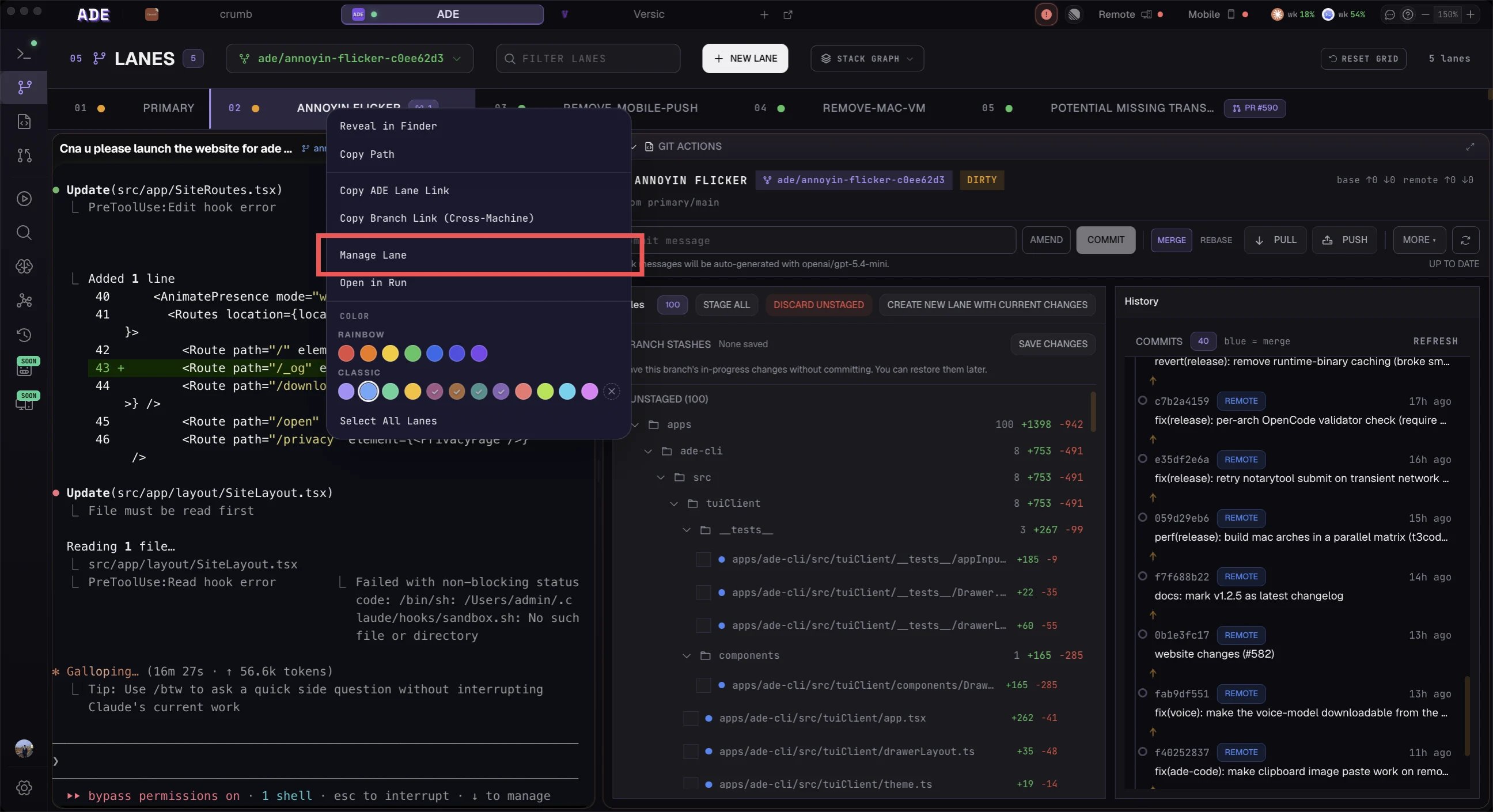
Open a lane's manage dialog to change it once work is underway or done.
 | Action | Use it when |
| ----------- | ------------------------------------------------------------------------------------------------------------------------ |
| **Rename** | The task name is unclear. This updates ADE's lane metadata. |
| **Recolor** | You want a different accent dot. Colors already used by other active lanes are disabled. |
| **Archive** | The work may matter later but should leave the active list. The worktree stays on disk and **unarchive** brings it back. |
| **Delete** | The lane is done. This tears the lane down — see below. |
| Action | Use it when |
| ----------- | ------------------------------------------------------------------------------------------------------------------------ |
| **Rename** | The task name is unclear. This updates ADE's lane metadata. |
| **Recolor** | You want a different accent dot. Colors already used by other active lanes are disabled. |
| **Archive** | The work may matter later but should leave the active list. The worktree stays on disk and **unarchive** brings it back. |
| **Delete** | The lane is done. This tears the lane down — see below. |
 ### What delete tears down
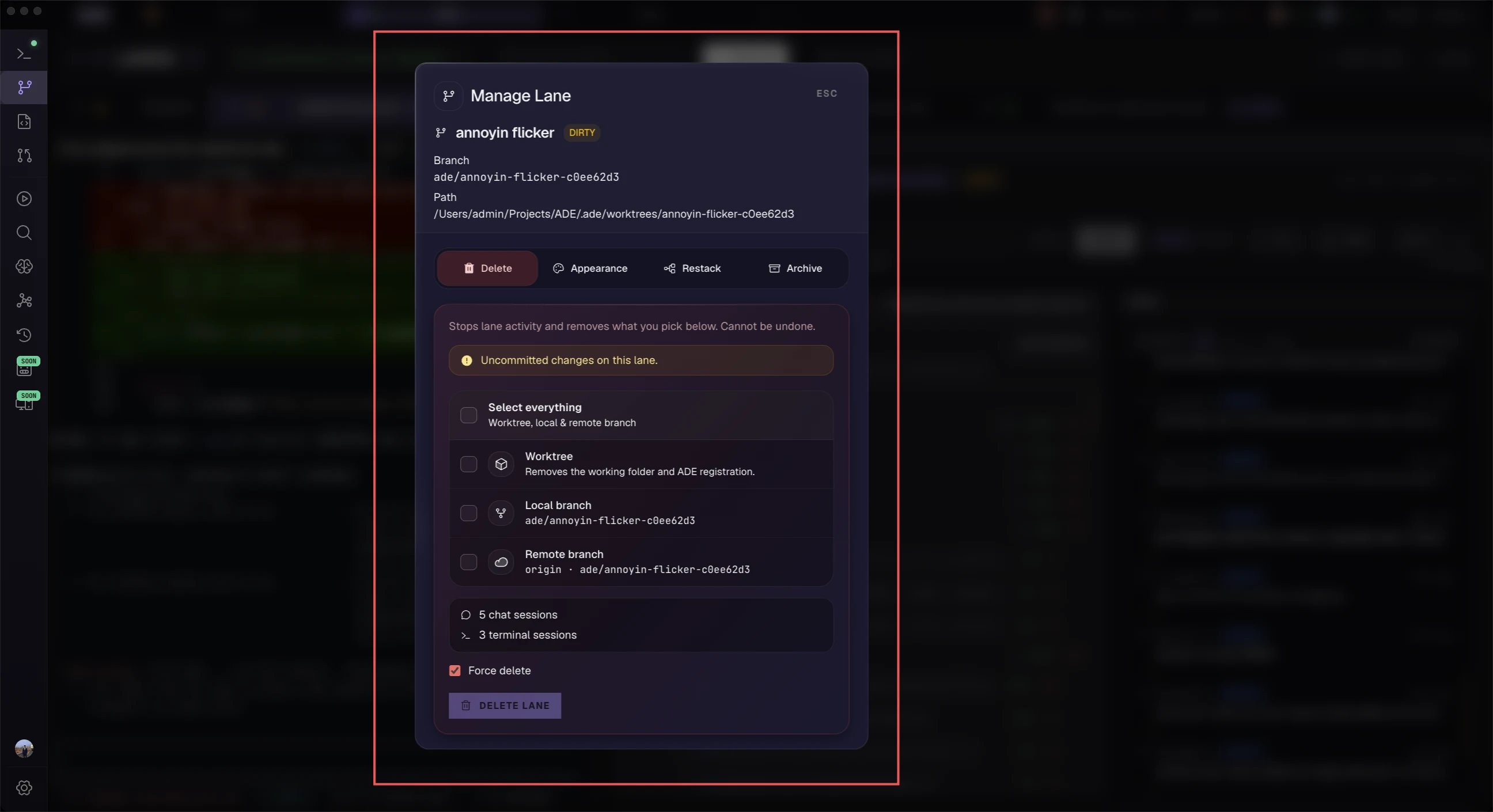
Delete isn't just `rm -rf`. ADE runs an ordered teardown and shows live progress for each step: it cancels auto-rebase, stops the lane's processes, terminals, and file watchers, cleans up lane environment resources, releases the lane's leased port range, removes the git worktree, and only then clears ADE's rows. You can optionally also delete the local branch (and the remote branch). Before you confirm, ADE surfaces a preflight check — dirty files, unpushed commits, running processes, and whether a remote branch exists.
Deleting a managed worktree removes its working directory, including uncommitted changes. ADE warns you about dirty state and unpushed commits first, but commit or push anything you want to keep before you confirm. Once a delete starts it runs to completion — it can't be cancelled.
## Good cleanup habits
* Archive stalled experiments instead of leaving every lane active.
* Delete lanes once their PRs merge and follow-up work is done — this returns the port range to the pool.
* Keep lane names tied to outcomes, not model names.
* Use the History tab to find what happened in a deleted or archived lane.
Every lane action is also available from the `ade` CLI and inside `ade code`:
```bash theme={null}
ade lanes list --text # list lanes in the active project
ade lanes create "fix-checkout-flow" # branch a new worktree lane
ade lanes delete --force # tear down a merged or abandoned lane
```
Run `ade lanes --help` to see every command and flag. In `ade code`, the `/new lane` and `/lane delete` slash commands drive the same paths.
How lanes isolate work and sync across surfaces.
Build child-lane chains and reviewable stacks.
### What delete tears down
Delete isn't just `rm -rf`. ADE runs an ordered teardown and shows live progress for each step: it cancels auto-rebase, stops the lane's processes, terminals, and file watchers, cleans up lane environment resources, releases the lane's leased port range, removes the git worktree, and only then clears ADE's rows. You can optionally also delete the local branch (and the remote branch). Before you confirm, ADE surfaces a preflight check — dirty files, unpushed commits, running processes, and whether a remote branch exists.
Deleting a managed worktree removes its working directory, including uncommitted changes. ADE warns you about dirty state and unpushed commits first, but commit or push anything you want to keep before you confirm. Once a delete starts it runs to completion — it can't be cancelled.
## Good cleanup habits
* Archive stalled experiments instead of leaving every lane active.
* Delete lanes once their PRs merge and follow-up work is done — this returns the port range to the pool.
* Keep lane names tied to outcomes, not model names.
* Use the History tab to find what happened in a deleted or archived lane.
Every lane action is also available from the `ade` CLI and inside `ade code`:
```bash theme={null}
ade lanes list --text # list lanes in the active project
ade lanes create "fix-checkout-flow" # branch a new worktree lane
ade lanes delete --force # tear down a merged or abandoned lane
```
Run `ade lanes --help` to see every command and flag. In `ade code`, the `/new lane` and `/lane delete` slash commands drive the same paths.
How lanes isolate work and sync across surfaces.
Build child-lane chains and reviewable stacks.