> ## Documentation Index
> Fetch the complete documentation index at: https://ade-ac1c6011-dependabot-github-actions-actions-cache-6.mintlify.site/llms.txt
> Use this file to discover all available pages before exploring further.
# Files
> ADE's review workbench — a lane-scoped file tree, Monaco editor, diffs, conflict resolution, and a Git panel for staging, committing, and pushing.
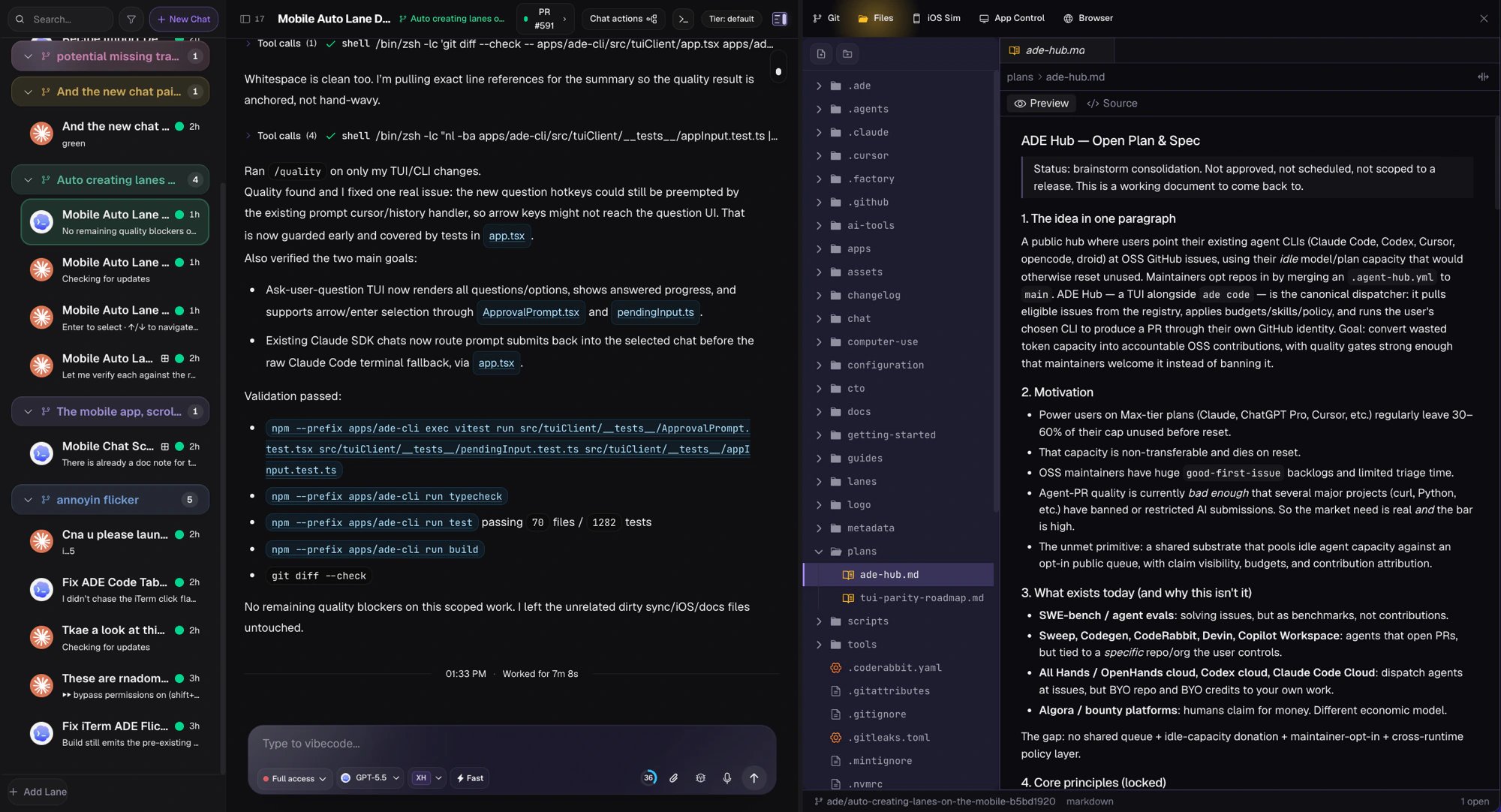
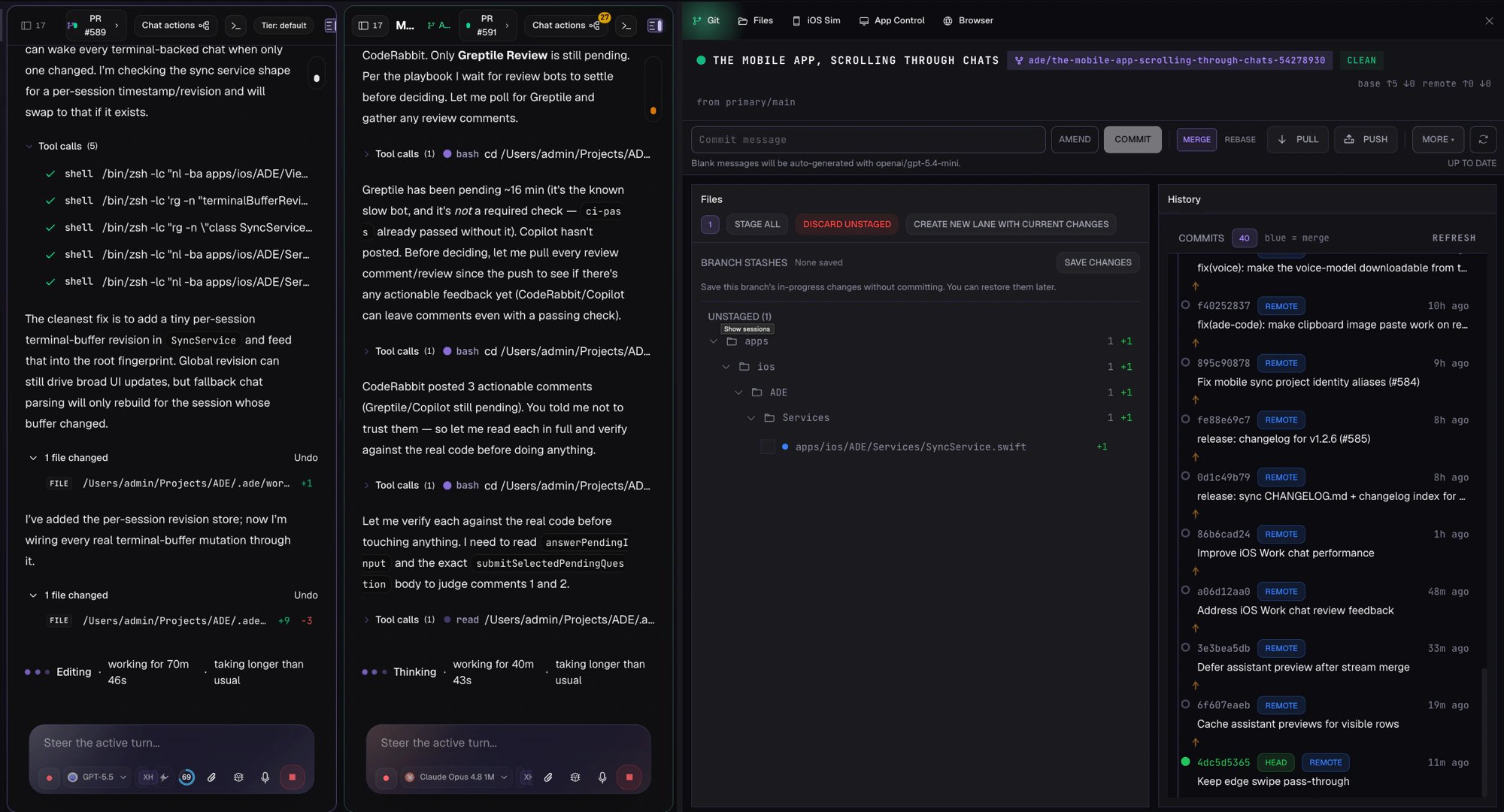
**Files** is ADE's review workbench: the place you read exactly what an agent changed, fix anything that's off, and turn a reviewed diff into a commit. It pairs a lane-scoped file tree and a full Monaco editor with diff and conflict views and a Git panel for staging, committing, stashing, and pushing — all without leaving the tab.
 ## What Files is for
Read every hunk an agent touched before it ever reaches a commit.
Open a file in Monaco and edit it directly when a small human adjustment beats another prompt.
Stage related files together, write a message, and push the lane's branch from the Git panel.
## Pick a workspace
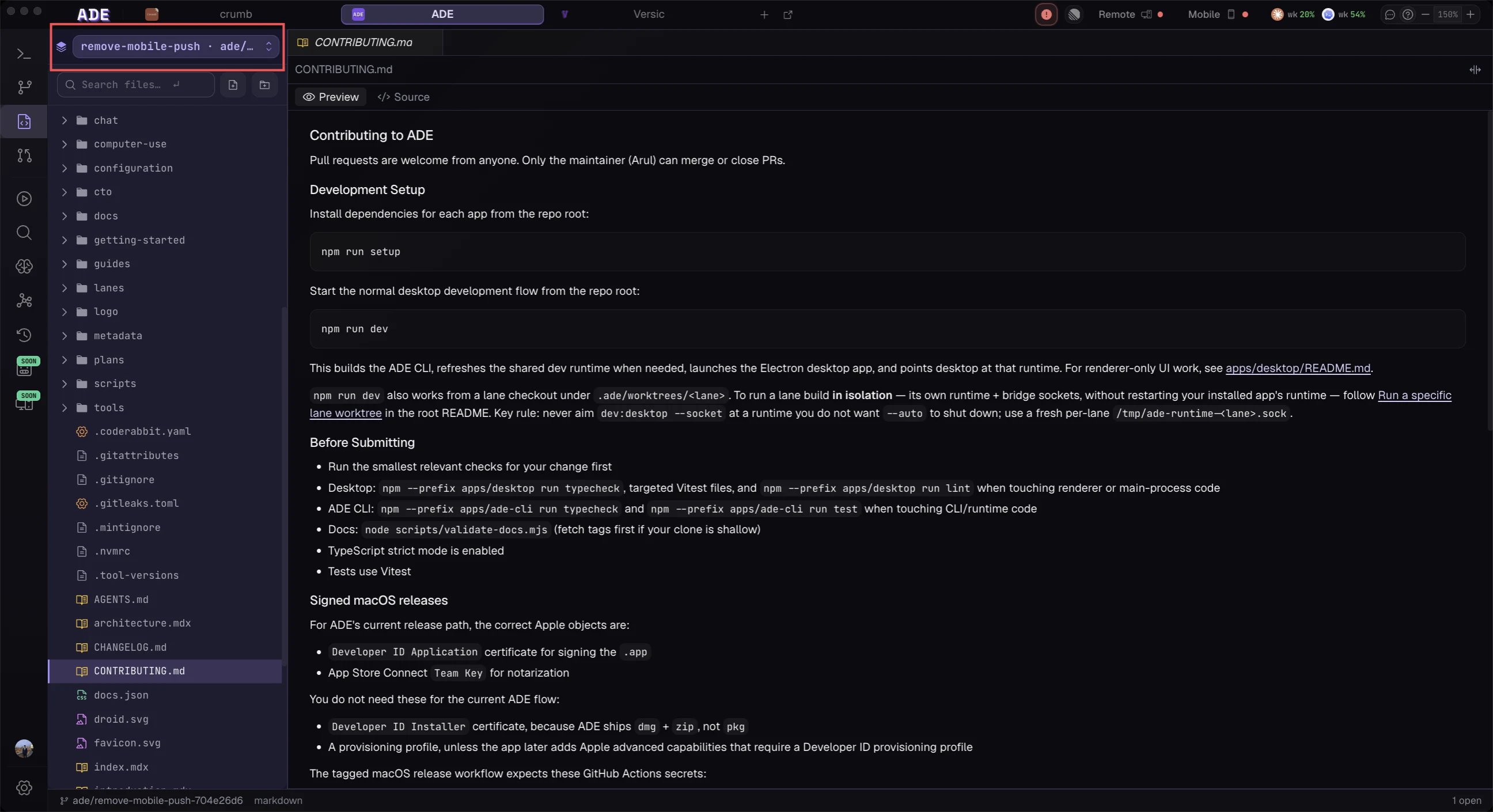
The file tree is scoped to one **workspace** at a time. A workspace is a directory Files can browse, and there are three kinds:
| Workspace | Where it comes from |
| ----------------- | ------------------------------------------------------------- |
| **Primary** | Your repository root — always present. |
| **Lane worktree** | The isolated worktree behind a lane, under `.ade/worktrees/`. |
| **Attached** | An external worktree path you linked in. |
ADE shows the active workspace name prominently so you never edit the primary checkout when you meant to edit a lane. Switching workspaces changes the tree, diffs, and Git panel together — confirm the selector before you save.
## What Files is for
Read every hunk an agent touched before it ever reaches a commit.
Open a file in Monaco and edit it directly when a small human adjustment beats another prompt.
Stage related files together, write a message, and push the lane's branch from the Git panel.
## Pick a workspace
The file tree is scoped to one **workspace** at a time. A workspace is a directory Files can browse, and there are three kinds:
| Workspace | Where it comes from |
| ----------------- | ------------------------------------------------------------- |
| **Primary** | Your repository root — always present. |
| **Lane worktree** | The isolated worktree behind a lane, under `.ade/worktrees/`. |
| **Attached** | An external worktree path you linked in. |
ADE shows the active workspace name prominently so you never edit the primary checkout when you meant to edit a lane. Switching workspaces changes the tree, diffs, and Git panel together — confirm the selector before you save.
 ## Read the diff
Open a changed file to inspect its hunks. Diffs come from a few sources — staged vs. working tree, `HEAD` vs. working tree, or commit-to-commit — and you can switch how they render:
* **Preview** for prose and markup, where you want the rendered result.
* **Raw** for the unified diff, where you want to read code line by line.
The file tree itself carries Git status decorations, so changed, added, and deleted files are colored in place before you even open them.
## Read the diff
Open a changed file to inspect its hunks. Diffs come from a few sources — staged vs. working tree, `HEAD` vs. working tree, or commit-to-commit — and you can switch how they render:
* **Preview** for prose and markup, where you want the rendered result.
* **Raw** for the unified diff, where you want to read code line by line.
The file tree itself carries Git status decorations, so changed, added, and deleted files are colored in place before you even open them.
 ## Edit in Monaco
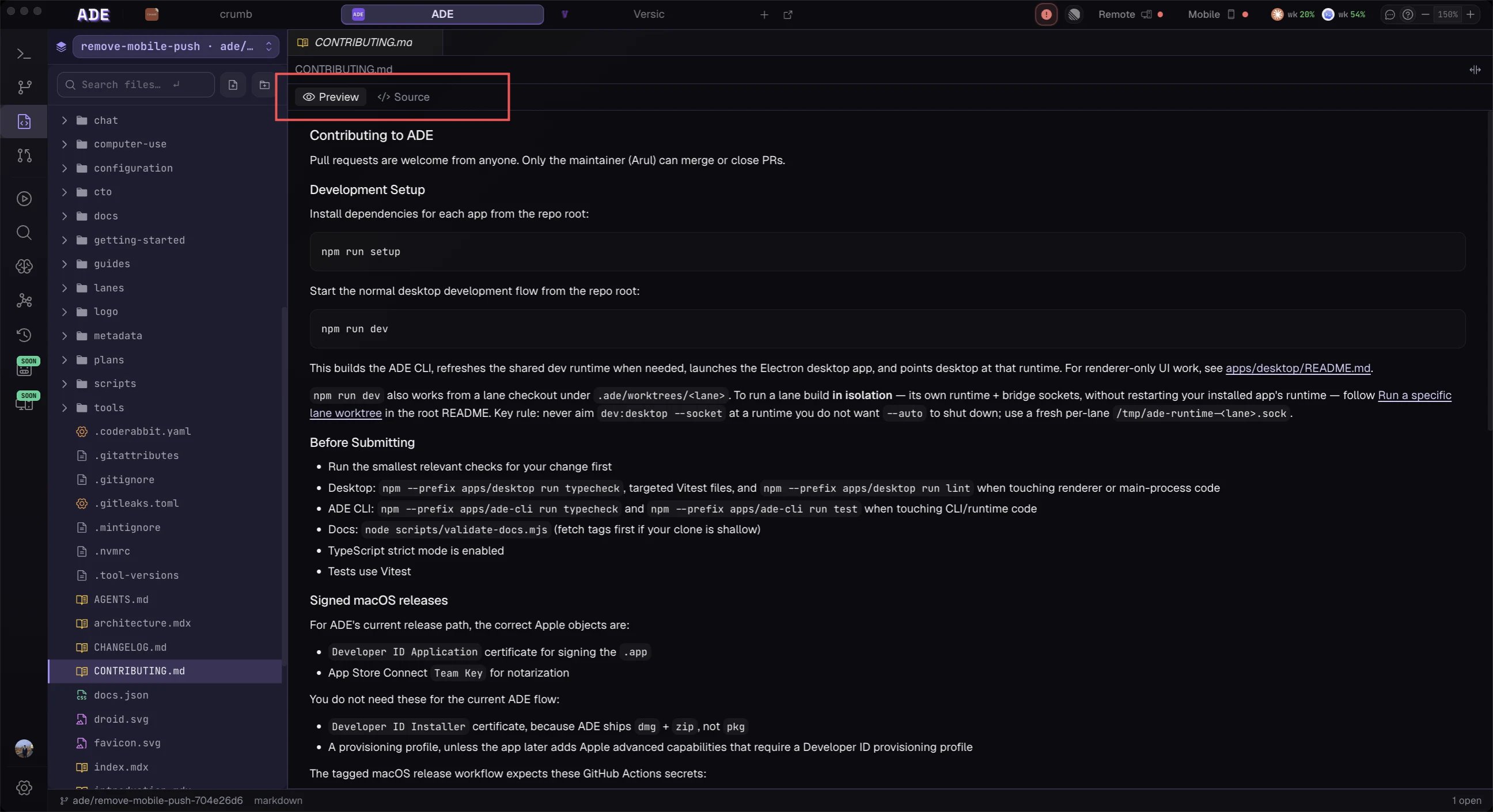
Files opens in a real Monaco editor with syntax highlighting and read/write semantics. Saves are **atomic** — ADE writes to a temp file and renames it into place — so a dev server watching the file never catches a half-written save. Markdown files add a per-tab preview toggle that swaps the editor for a rendered view.
Read-only workspaces are enforced end to end: the editor opens read-only and the create, rename, and delete controls are disabled, so you can browse a protected worktree without risking an accidental write.
## Stage, commit, and push
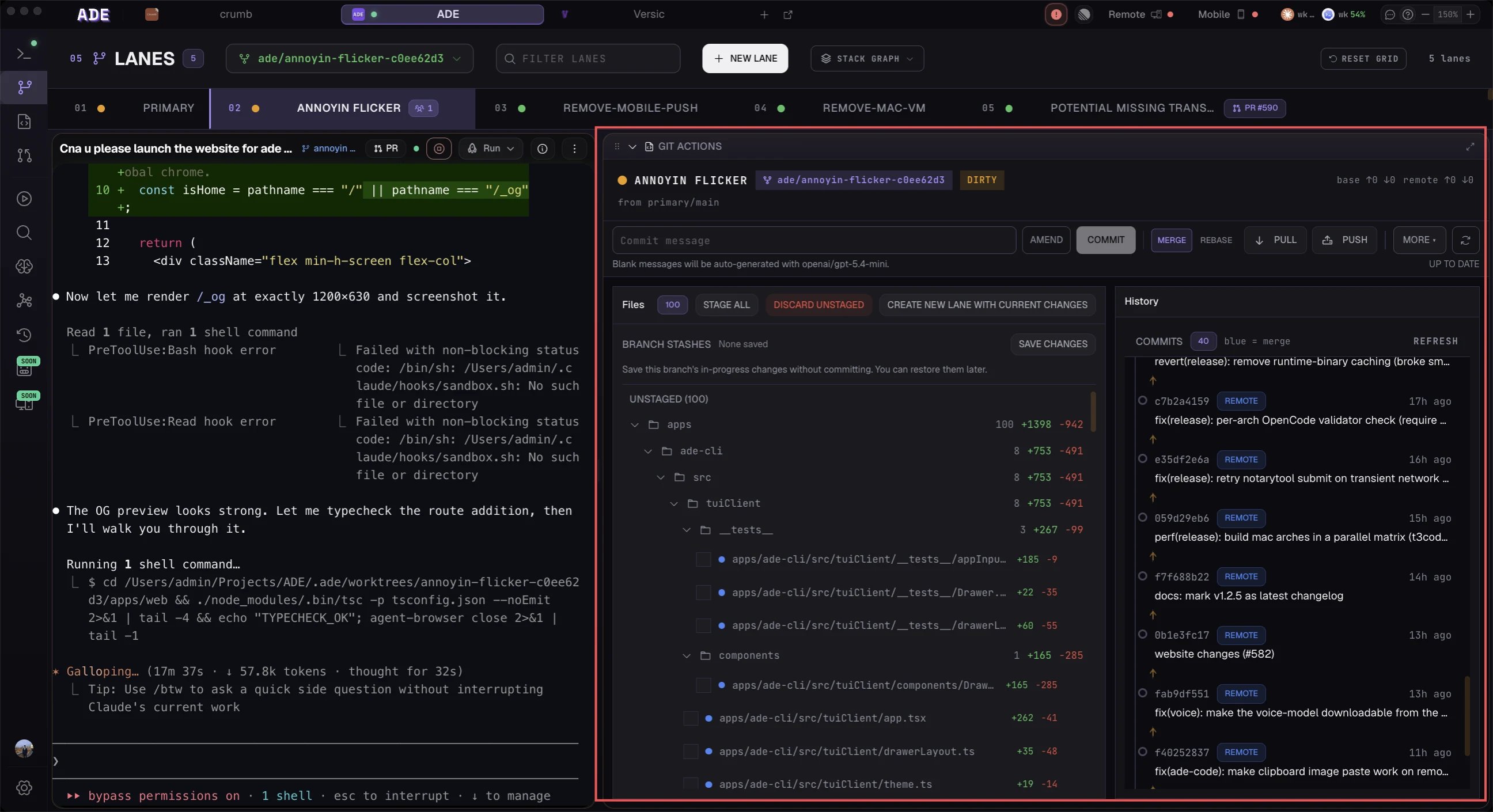
The Git panel turns a reviewed diff into a commit. Stage related files together, write a message, stash or amend when you need to, and push the lane's branch — all from the same surface.
## Edit in Monaco
Files opens in a real Monaco editor with syntax highlighting and read/write semantics. Saves are **atomic** — ADE writes to a temp file and renames it into place — so a dev server watching the file never catches a half-written save. Markdown files add a per-tab preview toggle that swaps the editor for a rendered view.
Read-only workspaces are enforced end to end: the editor opens read-only and the create, rename, and delete controls are disabled, so you can browse a protected worktree without risking an accidental write.
## Stage, commit, and push
The Git panel turns a reviewed diff into a commit. Stage related files together, write a message, stash or amend when you need to, and push the lane's branch — all from the same surface.
 ## The review flow
Choose the lane worktree an agent worked in from the workspace selector.
Open each modified file and inspect the hunks, raw or rendered.
Edit directly in Monaco, or send the agent back with specific review notes.
Stage related files together, commit once the work is coherent, then push.
## Conflicts
When a merge or rebase produces conflicts, Files opens a three-way merge view with **Base**, **Ours**, **Theirs**, and **Result** panes, plus *Accept Ours*, *Accept Theirs*, and *Accept Both* actions. Resolve the file, then continue the Git operation from the lane or PR workflow. See [Conflicts](/tools/conflicts) for the full risk model and prevention tips.
Use Files as the final human checkpoint. Even when an agent reports that tests passed, read the diff yourself before you push.
Turn a reviewed, committed lane into a GitHub PR.
Trace any commit back to the lane and session that produced it.
## The review flow
Choose the lane worktree an agent worked in from the workspace selector.
Open each modified file and inspect the hunks, raw or rendered.
Edit directly in Monaco, or send the agent back with specific review notes.
Stage related files together, commit once the work is coherent, then push.
## Conflicts
When a merge or rebase produces conflicts, Files opens a three-way merge view with **Base**, **Ours**, **Theirs**, and **Result** panes, plus *Accept Ours*, *Accept Theirs*, and *Accept Both* actions. Resolve the file, then continue the Git operation from the lane or PR workflow. See [Conflicts](/tools/conflicts) for the full risk model and prevention tips.
Use Files as the final human checkpoint. Even when an agent reports that tests passed, read the diff yourself before you push.
Turn a reviewed, committed lane into a GitHub PR.
Trace any commit back to the lane and session that produced it.