> ## Documentation Index
> Fetch the complete documentation index at: https://ade-ac1c6011-dependabot-github-actions-actions-cache-6.mintlify.site/llms.txt
> Use this file to discover all available pages before exploring further.
# Remote machines
> Point ADE at a repository or dev stack that lives on another box over SSH, while the desktop stays your control plane.
A remote machine lets you drive a repository that lives somewhere else — a Linux dev box, a beefy build server, a cloud VM — without copying the code to your laptop. ADE connects over SSH and runs the agents, builds, and tests on that box. Your desktop app stays local and stays in charge: it is the control plane, the remote is the workspace.
## When to use it
The repository and its dev stack are on another machine and you would rather not clone or sync it locally.
Builds, tests, and agents run on a box with more cores, more RAM, or the right GPU.
Services, databases, and toolchains are already set up on the remote and you want agents to run against them.
## How it connects
ADE adds the remote over SSH using the same connection details you already use from a shell. The desktop spawns a lightweight ADE bridge on the far side and tunnels its control protocol back over the SSH channel — so lanes, chats, diffs, and PRs all behave exactly as they do locally, just backed by the remote's filesystem and runtime.
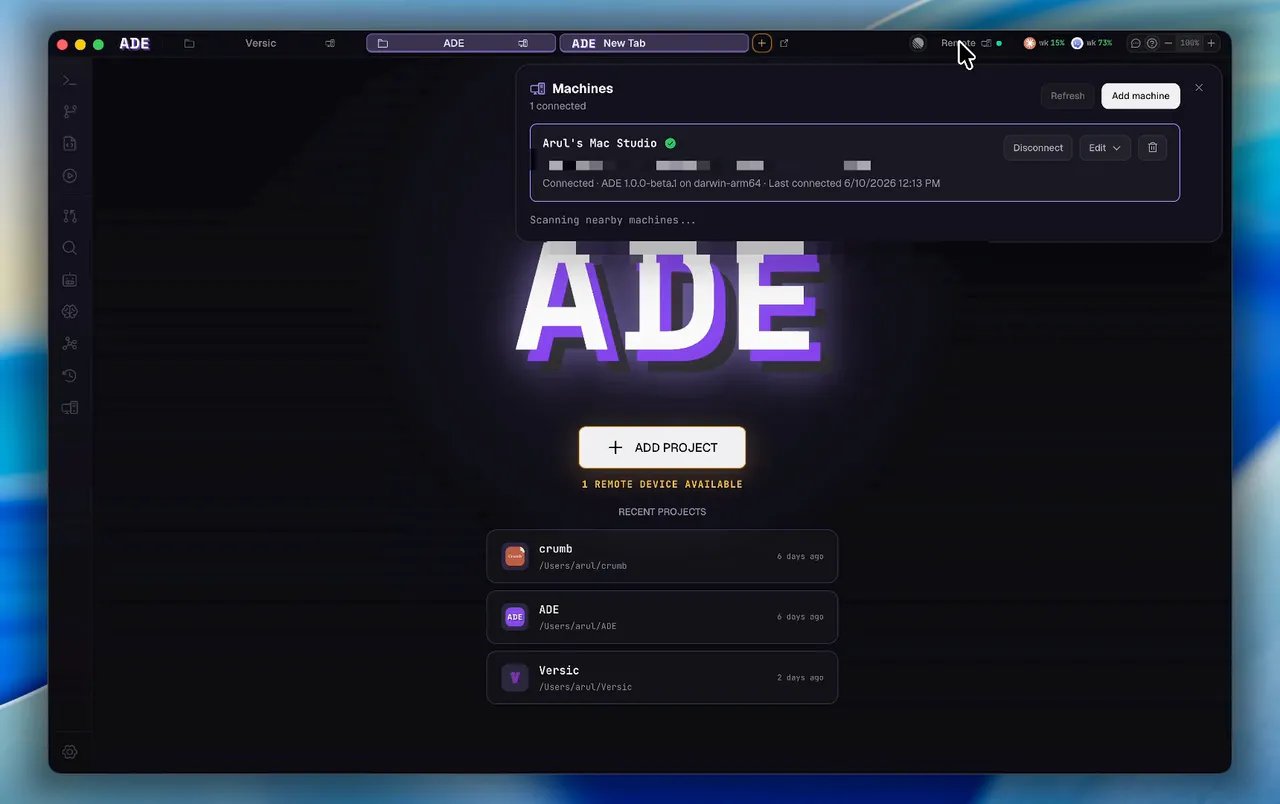 Give ADE the SSH target for the remote box. ADE bootstraps its runtime there on first connect.
Choose the repository on the remote you want to work in. It becomes a normal ADE project, backed by the remote filesystem.
Create lanes, run agents, review diffs, and open PRs from the desktop. Everything executes on the remote.
## The desktop still drives everything
Connecting a remote does not move ADE off your Mac. The desktop app remains the control plane: you compose prompts, approve diffs, and merge PRs locally, while the agent processes, builds, and tests live on the remote. The remote's own GitHub, Linear, and provider credentials are used for work that happens there.
`ade code` can attach to the same saved remote machines from a terminal — useful when you are already SSH'd somewhere and want the TUI instead of the desktop window. See [ade code](/tools/ade-code).
`ade code remote` reads the same saved remote-machine registry as the desktop app:
```bash theme={null}
ade code remote --list-targets # list saved remote machines
ade code remote --target mac --project ADE # attach to a remote project
ade code remote session --target mac --project ADE --session chat-1
```
Run `ade code remote --help` to see every flag.
Drive ADE from a fast terminal UI, locally or over SSH.
How the control plane, runtime, and clients fit together.
Give ADE the SSH target for the remote box. ADE bootstraps its runtime there on first connect.
Choose the repository on the remote you want to work in. It becomes a normal ADE project, backed by the remote filesystem.
Create lanes, run agents, review diffs, and open PRs from the desktop. Everything executes on the remote.
## The desktop still drives everything
Connecting a remote does not move ADE off your Mac. The desktop app remains the control plane: you compose prompts, approve diffs, and merge PRs locally, while the agent processes, builds, and tests live on the remote. The remote's own GitHub, Linear, and provider credentials are used for work that happens there.
`ade code` can attach to the same saved remote machines from a terminal — useful when you are already SSH'd somewhere and want the TUI instead of the desktop window. See [ade code](/tools/ade-code).
`ade code remote` reads the same saved remote-machine registry as the desktop app:
```bash theme={null}
ade code remote --list-targets # list saved remote machines
ade code remote --target mac --project ADE # attach to a remote project
ade code remote session --target mac --project ADE --session chat-1
```
Run `ade code remote --help` to see every flag.
Drive ADE from a fast terminal UI, locally or over SSH.
How the control plane, runtime, and clients fit together.